#1 ChatGPT Extension – Everything ChatGPT Should Have Built In.
The all-in-one Chrome extension for ChatGPT to organize, structure, and export everything you do with AI — folders, tags, full-text search, a powerful prompt library, highlights, an image gallery, and one-click exports. Workspaces keep every client and project cleanly separated.
Built for freelancers, consultants, creators, and developers who rely on AI every day.
- Organize chats into nested folders with tags & instant search
- Save, reuse & optimize your best prompts in one library
- Highlight key answers & navigate long chats instantly
- Export any conversation to Markdown, PDF, JSON or TXT
- Separate workspaces for every client, project & idea



One extension. Your whole AI workflow.
Organize, structure, and export everything you do with ChatGPT, Claude and Grok — turning a messy chat list into a system that actually scales with you.
Organize everything
Nested folders, smart tags, color categories and full-text search across every chat. Bulk-archive or delete hundreds at once, and keep clients and projects apart with separate workspaces.
Structure & navigate
Fly through long chats with the Smart Conversation Outline, highlight key answers in seven colors, map branches in Tangent View, and browse every generated image in one gallery. Thread trimming keeps it all fast.
Reuse & export
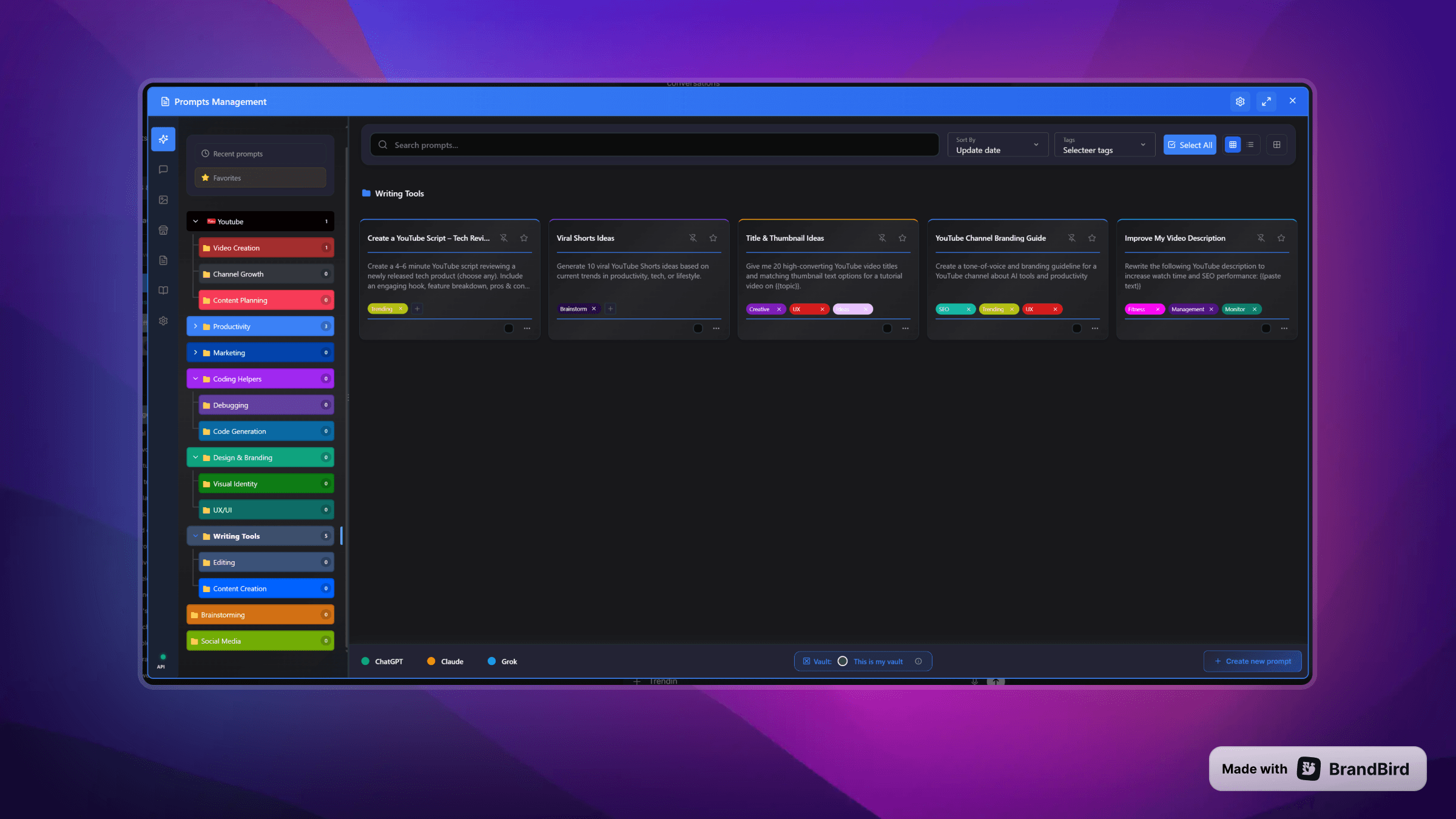
Build a prompt library with reusable templates, sharpen drafts with the Prompt Optimizer, and drop in prompts with a slash command. Export any conversation to Markdown, PDF, JSON or TXT — your data, on your device.
Your Complete ChatGPT Toolkit
The extension comes packed with folders, tags, and smart search to keep conversations organized. Plus prompt management, highlights, and performance tools to work faster.
👇Select a feature below to update preview
Organization
Unlimited nested folders with drag & drop
Learn moreCreate a hierarchy that matches your workflow
Color-coded categories with custom icons
Learn moreVisual organization at a glance
Multi-tag system with custom colors
Learn moreTag conversations with multiple labels
Advanced search across all conversations
Learn moreFind any chat instantly with powerful filters
Pin important chats to the top
Learn moreKeep your most-used conversations accessible
Bulk operations (delete, archive, categorize)
Learn moreManage hundreds of chats in seconds
Auto-delete old conversations
Keep your workspace clean automatically
Auto-organize Custom GPT conversations
NEWAutomatically sort your Custom GPT chats into folders and link them to your active workspace
Never Get Lost in Branched Conversations
Stop wrestling with unorganized tabs. Our new Tangent View gives you an interactive visual graph of your branching ChatGPT conversations, letting you navigate multiple threads effortlessly.
Complete Feature Matrix
Over 50+ features to supercharge your AI workflow
ORGANIZATION
- Folders (nested)
- Categories
- Tags & Colors
- Search & Filter
- Pin & Archive
- GPT Auto-Organize ✨
PERFORMANCE
- Conversation Outline ✨
- Text Highlighting
- Thread Trimming
- 73% Memory Saving
- Audio Notifications
CUSTOMIZATION
- Premium Themes
- Dark Mode
- Custom Colors
- Layout Adjustment
- Multi-language UI
ADVANCED
- Tangent View ✨
- Message Notes ✨
- Bookmarks ✨
- Follow-up Suggestions ✨
- Image Gallery
- Export (JSON/TXT/MD/PDF)
- Reference Chats
- Conversation Preview
PRIVACY
- 100% Local-first
- Encrypted Vaults
- Zero Tracking
- GDPR Compliant
- No Data Collection
SUPPORTED PLATFORMS
ChatGPT • Claude.ai • Grok
AI Workspace vs. Superpower ChatGPT
Both extensions add powerful features to ChatGPT — but only AI Workspace keeps your data 100% on your device. Your conversations, prompts, and notes never leave your browser.
Privacy by design — not by policy
Superpower ChatGPT syncs your data to their servers. AI Workspace stores everything locally in your browser with optional AES-256 encryption — no account required, no data leaving your device. Read our privacy policy.
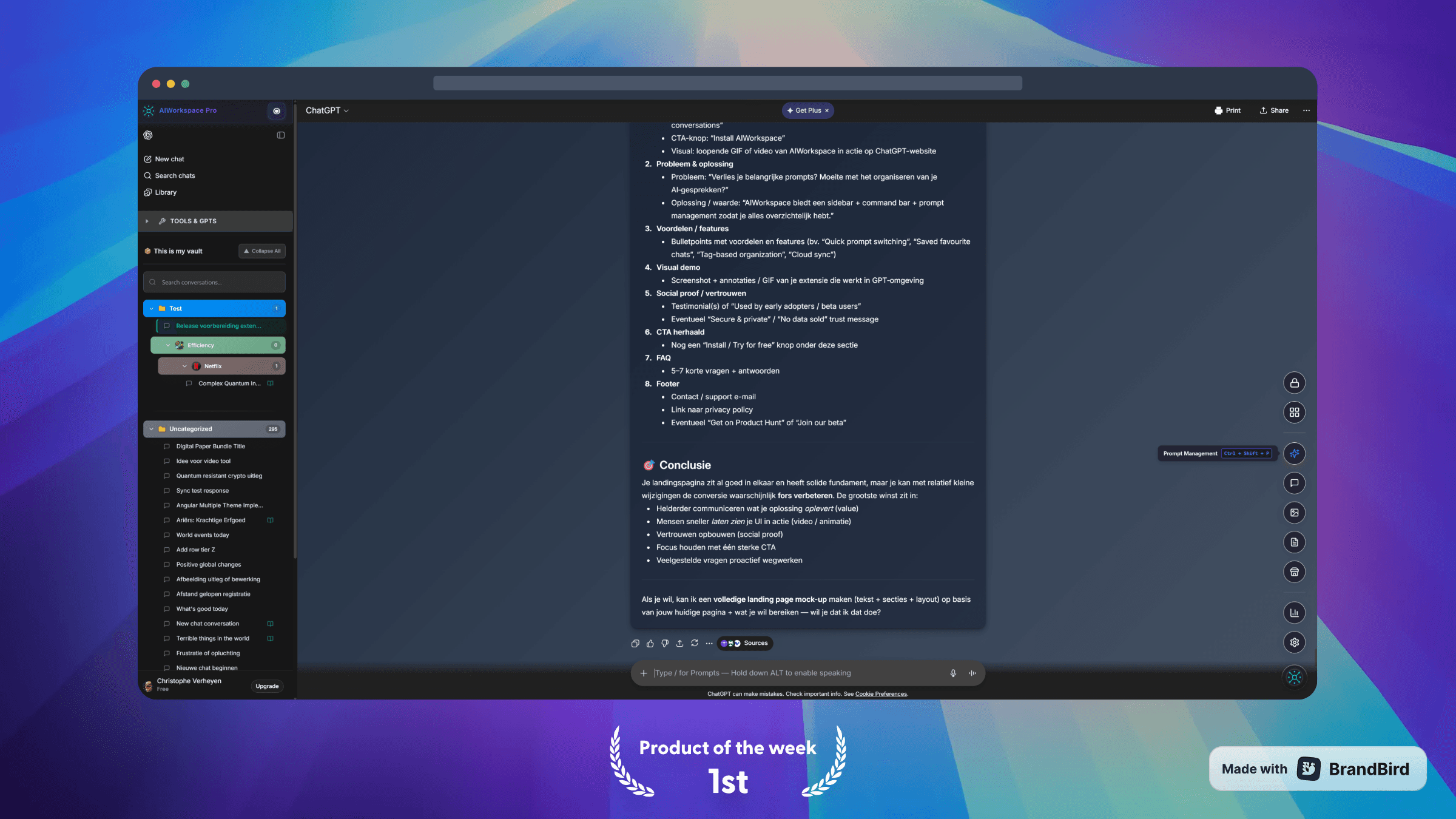
See It In Action
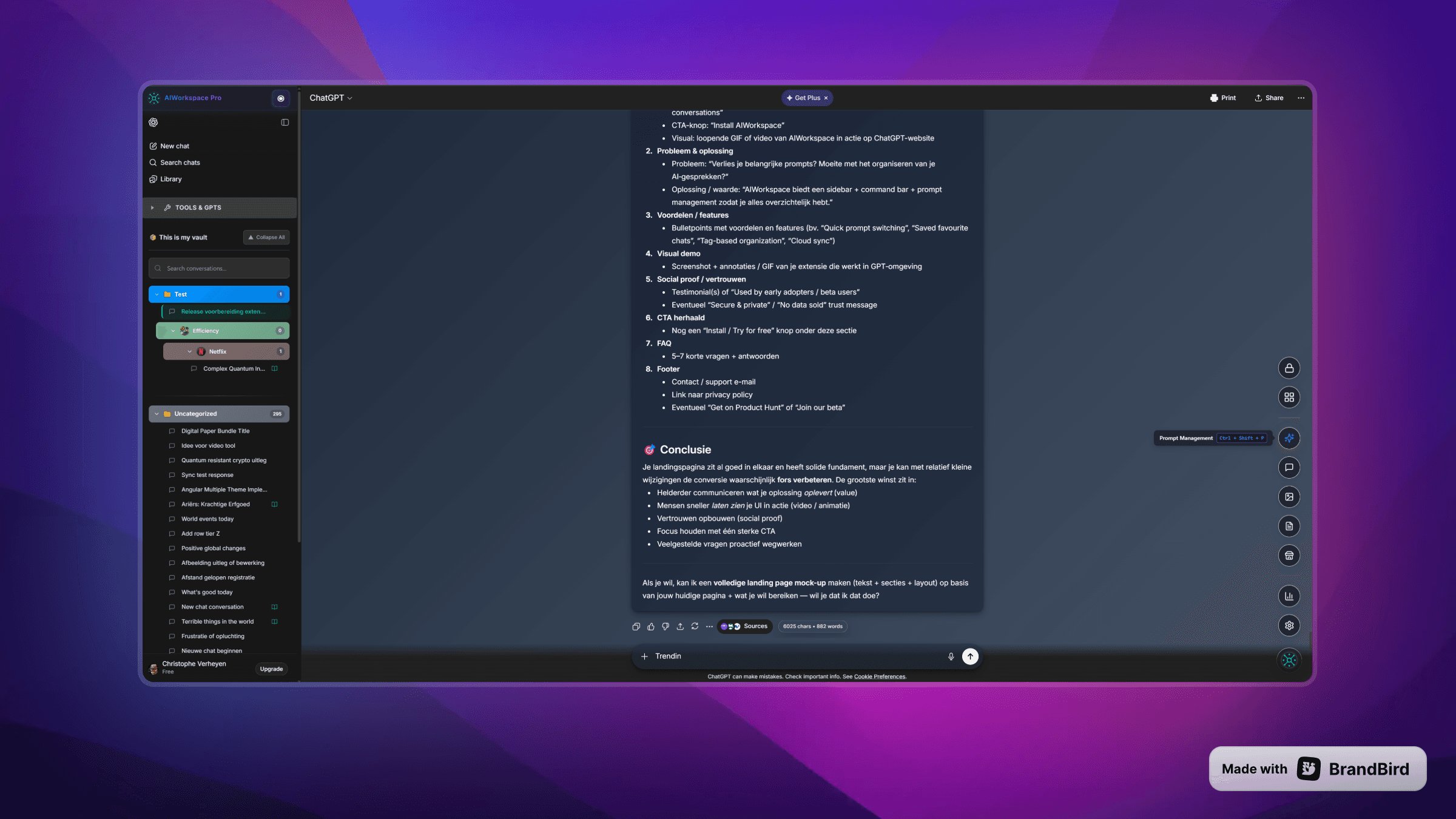
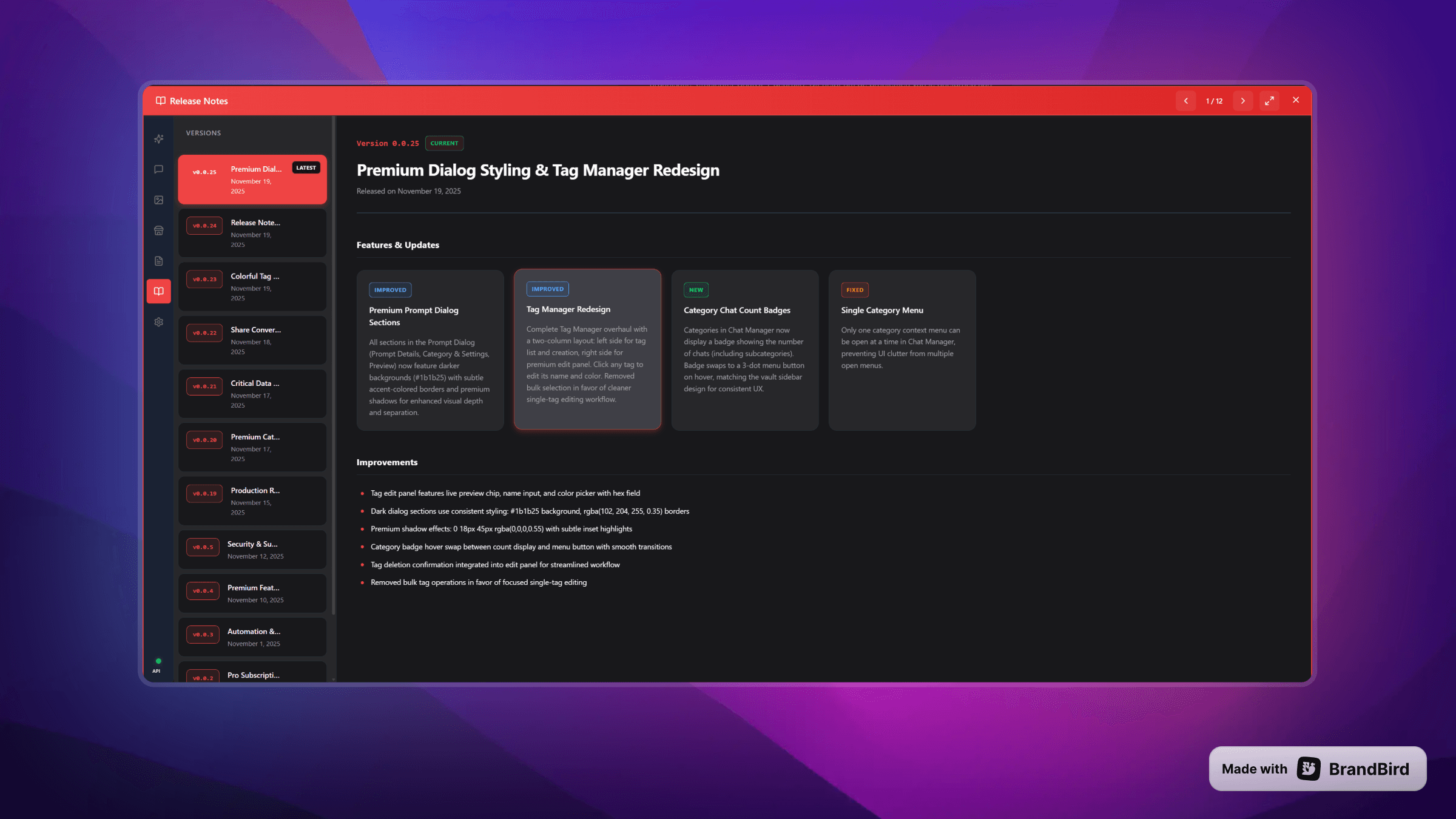
ChatGPT Organization in Action - Supercharge Your AI Workflow
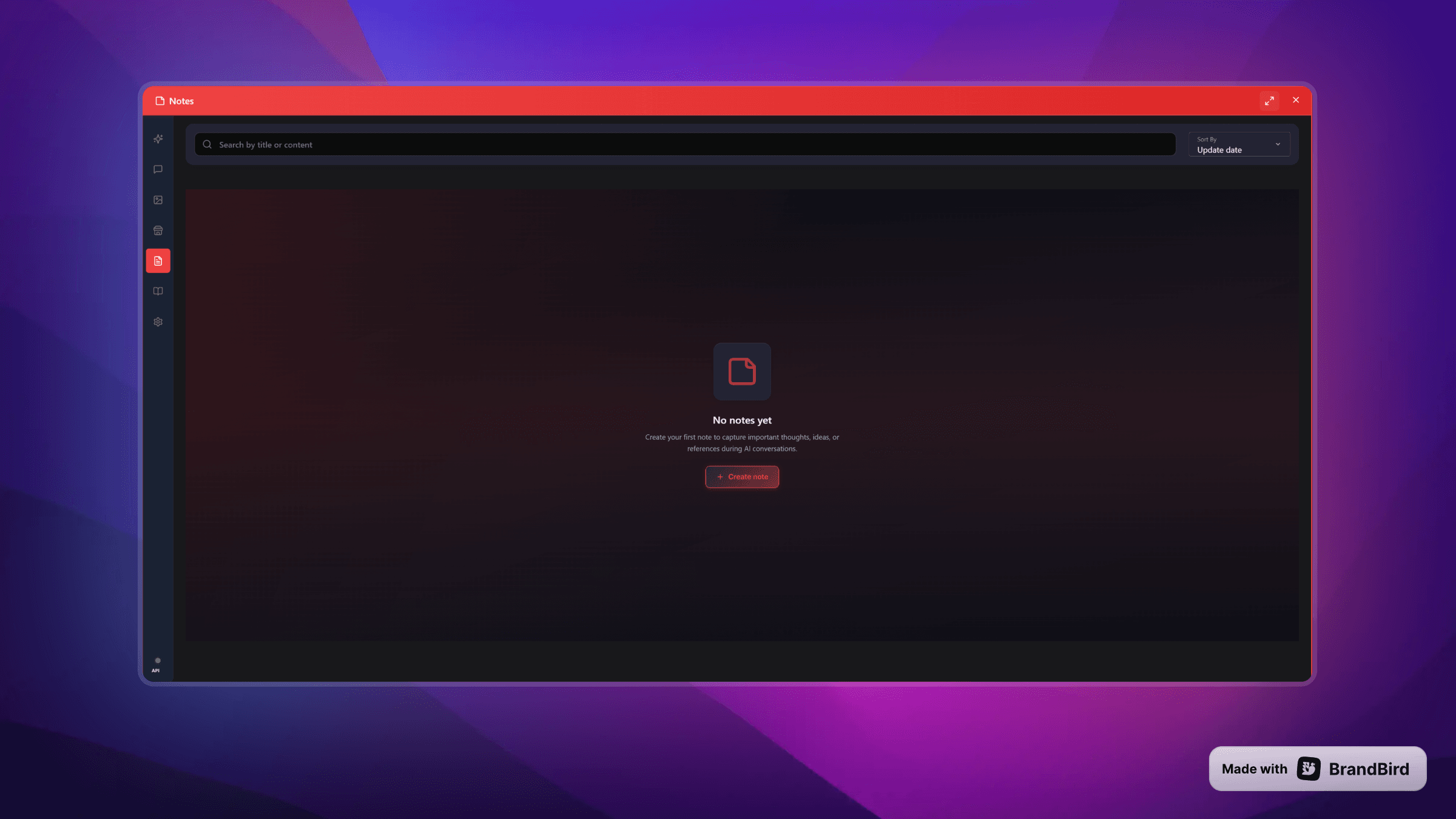
Explore our intuitive interface designed to supercharge your workflow across ChatGPT, Claude, and Grok
What Users Say on the Chrome Web Store
Real reviews from verified users on the Chrome Web Store. Join 900+ professionals and power users who trust AI Workspace to organize their ChatGPT conversations and boost productivity.
4.5 / 5· 34 ratings on the Chrome Web Store“AI Workspace Pro is a powerful productivity extension that enhances the ChatGPT experience. With an intuitive sidebar and organized prompt manager, it helps users save, categorize, and quickly access prompts, boosting efficiency. The clean interface and smart workflow tools make repetitive tasks faster and smoother. Ideal for professionals and frequent users, it significantly improves productivity and overall AI interaction.”
“AI Workspace Pro is a solid productivity booster for anyone who uses ChatGPT regularly. The prompt manager makes it easy to organize and reuse prompts across different projects, and the sidebar workspace keeps everything accessible without leaving the page. I like how it structures conversations into folders so nothing gets lost. The trimming feature for long threads is particularly useful. A well-thought-out tool that genuinely improves the ChatGPT workflow.”
“If you use ChatGPT, Gemini or Grok frequently this is a must-have — it helps you a lot with your prompts, workflow, organization and AI performance. It might be hard to understand how to use the extension at first but when you learn it, it becomes essential for AI conversations. Also the pro plans are really worth it.”
“This extension is a must-have for AI power users; it's polished, free for core features, and boosts productivity massively.”
“This should honestly be built into Chrome.”
“Really good balance of features vs. simplicity.”
Upcoming ChatGPT Extension Features
We're constantly evolving AI Workspace with powerful new productivity capabilities for ChatGPT power users.
Prompt Chaining
Link multiple prompts together for complex automated workflows
Advanced Analytics
Deep insights into your ChatGPT usage patterns and productivity metrics
Extended LLM Support
Native integrations for Gemini, Perplexity, Llama, and more
Multi-Language
Interface localization for Spanish, French, German, Japanese
Workflow Automation
Trigger actions based on events: auto-categorize, smart-archive
Team Collaboration
Share prompt libraries and vault templates with your team
Voice Processing
Transcribe voice notes, organize audio conversations
Custom API
Connect your own AI models and third-party tools via REST API
Ready to boost your productivity?
Join thousands of users organizing their ChatGPT workflows with AI Workspace.
Free forever • No credit card required • Install in seconds
ChatGPT Extension FAQ - Common Questions
Everything you need to know about installing and using AI Workspace for ChatGPT
Can I use AI Workspace extension for free?
What is the Smart Conversation Outline feature?
What's the difference between Free and Pro?
Can I install the extension on Microsoft Edge or Firefox?
Is my data stored securely?
Are my chats saved anywhere other than my personal device?
How can I request a feature or report a bug?
Can I cancel anytime?
ChatGPT Extension Pricing - Start Free. Go PRO when ready.
Transparent pricing for everyone. No hidden fees.
Free
Essential tools for individuals.
- Limited prompts & folders
- 1 Custom Workspace
- Message notes & bookmarks (limited)
- Heuristic + 5 Smart AI follow-ups/week
- Highlight text in chats
- Trim long chat threads
- Export chats (PDF, Text, Markdown, JSON)
- Prompt Chains & Favorite Prompts
- Word & Character Counter
- Limited conversation themes
- Community GPT Store
- Local history log
PRO
Power tools for serious users.
billed annually
or $9.99/month (billed monthly)
- Unlimited prompts, notes & vaults
- Unlimited folders & prompt categories
- Prompt Optimizer — rewrite weak prompts into sharp ones🔥 HOT
- Smart Conversation Outline - Jump to any message instantlyNEW
- Auto-organize Custom GPT conversations into workspace foldersNEW
- Unlimited AI Follow-up Suggestions — context-aware next promptsNEW
- Message Notes & Bookmarks — save & jump back to any messageNEW
- Image Gallery - Search, View & Download All Images
- Pinned Messages & Advanced Notes
- Reference Chats - Link conversations with one click
- AES-256 Encryption + Autolock
- Variable injection in prompts
- Quick access menus
- Search inside chats & prompts
- Advanced Thread Trimming🔥 HOT
- Audio Notifications
- Prompt History & Chaining
- Priority Support
- Early Access to new features
- Custom Themes & Colors
- And many more...
Lifetime
Pay once. Yours forever.
🔥 Limited-time launch deal — $200 off the regular $299
One-time payment · no subscription, ever
- Everything in PRO
- One payment, lifetime access
- All future features included
- No renewals, no expiry
- Priority support
14-day money-back guarantee
Pay with the email you'll sign in to the extension with.
Secure payment via Stripe. Cancel anytime.
Start organizing your AI workflow today
Free forever. No credit card required.
Install in seconds.
Join the AI Workspace community on Reddit
Get feature announcements first, early access to betas, tips for ChatGPT, Claude, Gemini & Grok — and help shape the roadmap with your feedback.
- Feature announcements & changelogs
- Early access to betas
- Workflow tips & tricks
- Request features & report bugs
Free to join · New posts every week
Questions or Suggestions?
We'd love to hear from you! Share your feedback, report issues, or suggest new features to help us improve.