Tame Your AI Chaos in One Workspace
Stop losing track of prompts, ideas, and ChatGPT conversations. Organize everything in clean, powerful workspaces — instantly searchable, always accessible.
The Endless Scroll Problem
"Where was that code snippet from last week?"
We've all been there. You know you solved this exact problem three weeks ago, but the chat is buried under hundreds of "New Chat" sessions.
ChatGPT's default sidebar is a simple flat list designed for the present, not for building a knowledge base. Once a conversation drops off the screen, it's effectively lost in the void. Trying to retrieve old information becomes a frustrating, time-consuming nightmare that breaks your flow and kills your productivity.
Solution: Structure & Clarity
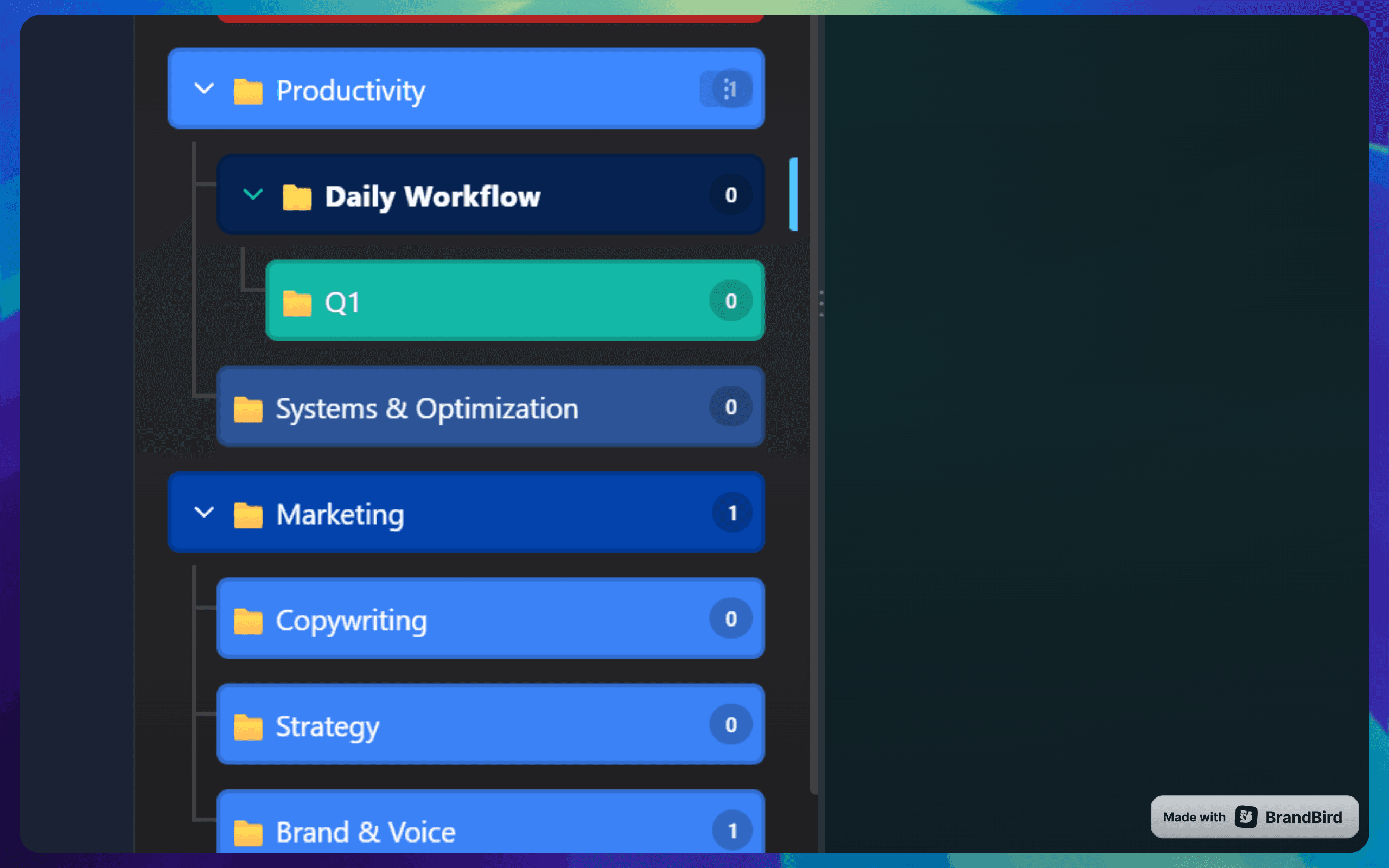
Nested Folders
Create unlimited folders and subfolders to group related conversations. Keep 'Work', 'Personal', and 'Coding' separate.
Tags & Colors
Label chats with custom tags and colors for quick visual scanning.
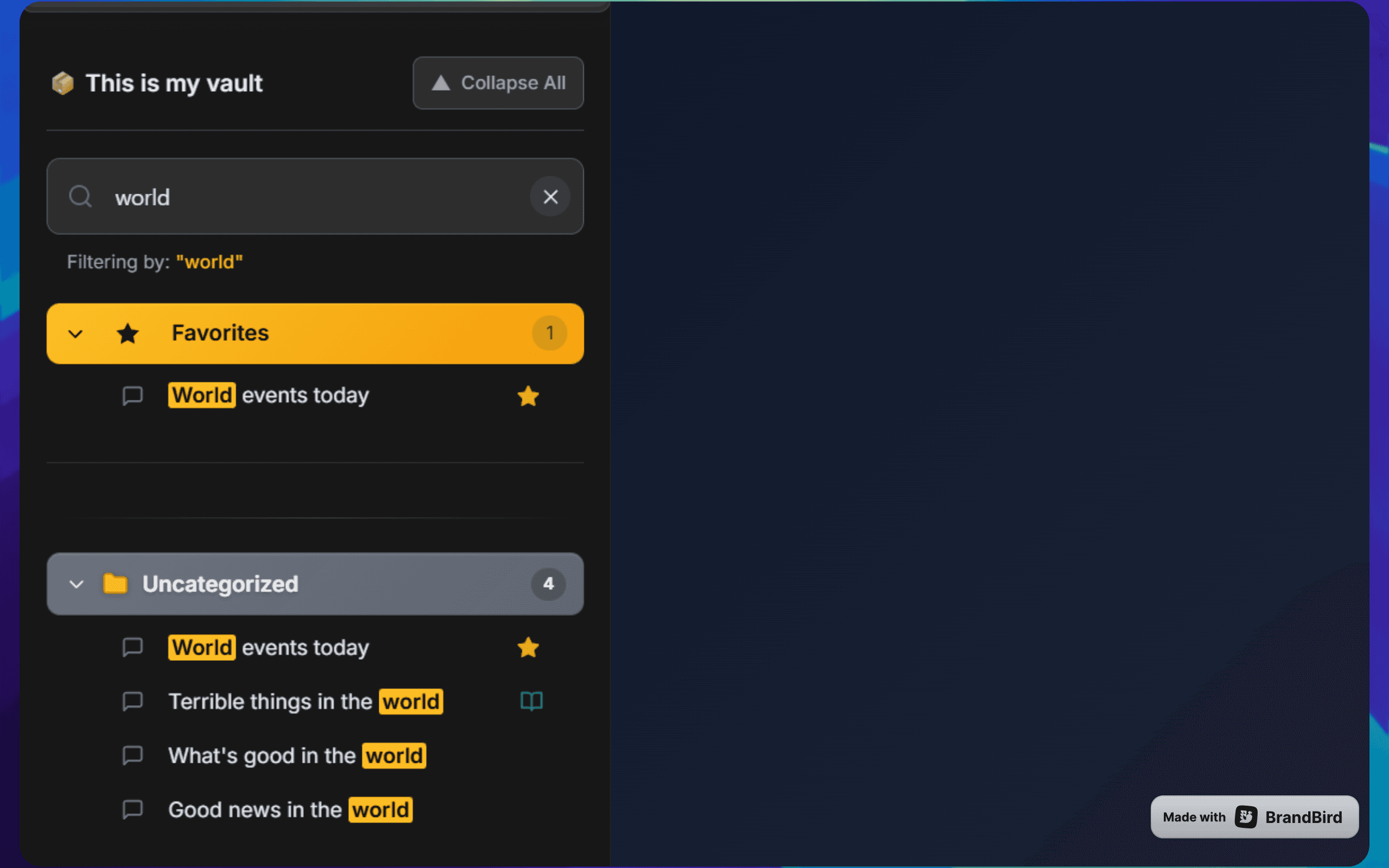
Global Search
Instantly search through titles and content of all your conversations.
Pin Important Chats
Keep your most important active threads pinned to the top for easy access.
Smart Filters
Filter by date, tag, or folder to narrow down your view.
Bulk Actions
Select multiple chats to move, archive, or delete them in one go.
Why AI Workspace?
Works directly in ChatGPT, Claude & Grok
Fully local & privacy-first
Easy installation, no account required
Professional UI & modern UX
Get your AI workspace organized today
Free forever • No credit card required • Install in seconds