AI Workspace Update: Bulk Actions & AI-Powered Prompt Optimization
We're excited to announce a massive update to AI Workspace that brings powerful new workflow features and AI-driven tools to help you work smarter, not harder. Let's dive into what's new!
🎯 Bulk Actions Toolbar: Manage Your Chats at Scale
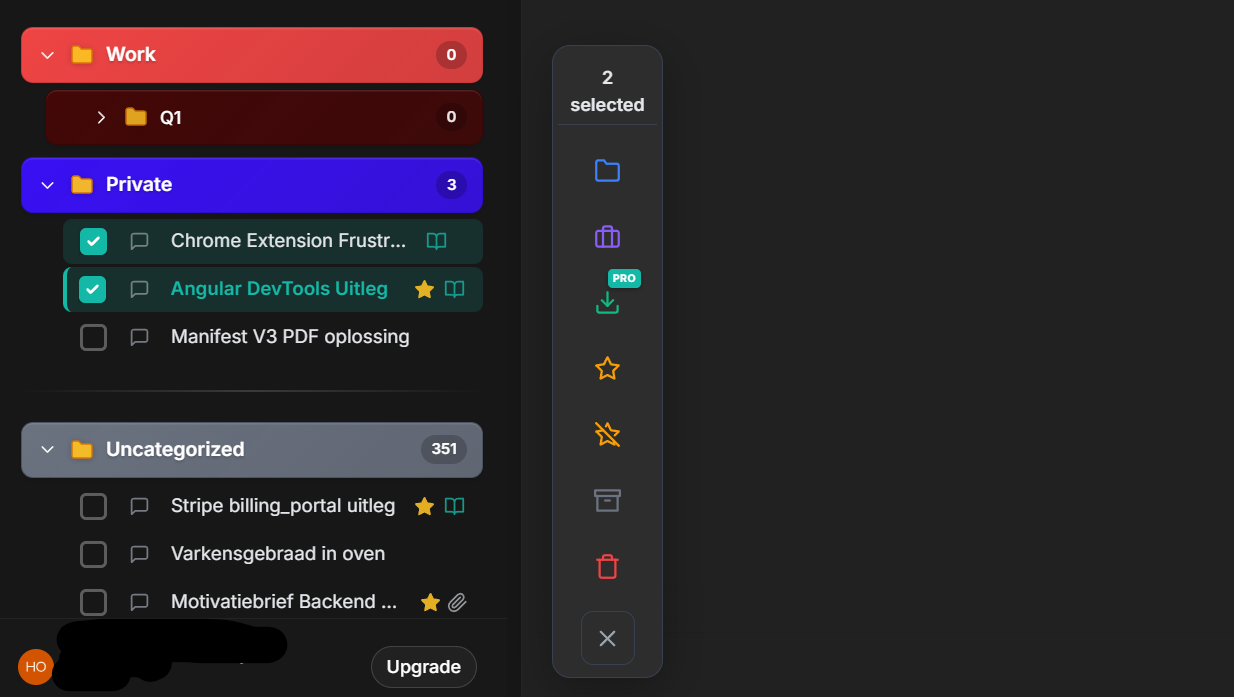
Select multiple chats and perform actions in one click
Managing hundreds of ChatGPT conversations just got exponentially easier. Our new Bulk Actions Toolbar lets you select multiple chats and perform actions on all of them simultaneously.
What You Can Do
- ✨ Favorite Multiple Chats - Quickly star your most important conversations
- 📦 Bulk Archive - Clean up your workspace by archiving old conversations
- 🗑️ Mass Delete - Remove multiple chats you no longer need
- 📁 Move to Categories - Organize chats into projects or folders in one go
- ✅ Select All - One-click selection for lightning-fast management
Why This Matters
If you're a power user juggling dozens or hundreds of ChatGPT conversations, you know the pain of organizing them one by one. With bulk actions, what used to take 10 minutes now takes 10 seconds.
💡 Real-world use case:
Archive all your Q1 planning conversations at once, favorite your most-used prompt templates, or bulk-move project-specific chats into dedicated folders.
🤖 AI-Powered Prompt Tools: Write Better Prompts, Automatically
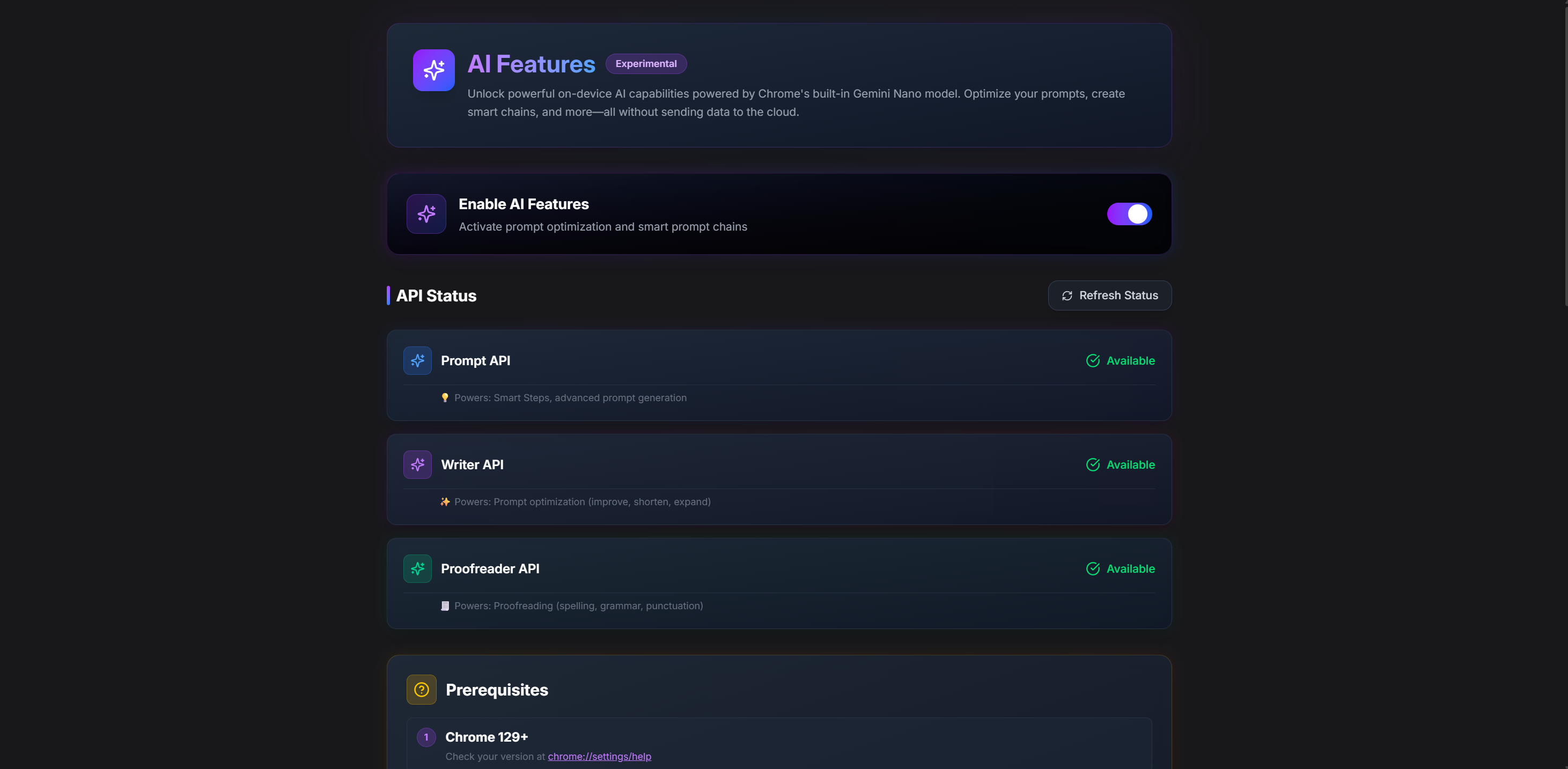
Transform your prompts with AI-powered optimization
Writing effective prompts is an art. Now, AI Workspace's built-in AI helps you master it with two powerful new features: Proofread and Optimize.
Proofread: Catch Errors Before They Cost You
Ever submitted a prompt with a typo that completely changed its meaning? We've all been there. The new Proofread feature catches:
- ✅ Spelling mistakes
- ✅ Grammar errors
- ✅ Awkward phrasing
- ✅ Clarity issues
Powered by Chrome's Built-in AI, Proofread runs entirely locally on your device - no data sent to external servers. It works on:
- Individual prompts in your library
- Every step in chained prompt sequences
- Text input directly in ChatGPT (more on this below!)
Optimize: Turn Good Prompts Into Great Ones
Good prompts get results. Great prompts get exceptional results. The Optimize feature analyzes your prompt and suggests improvements:
- 🎯 Clarity: Makes your instructions crystal clear
- 📋 Structure: Adds formatting and organization
- 🔍 Specificity: Helps you be more precise
- ⚡ Effectiveness: Improves the likelihood of getting exactly what you want
Real-world example:
Before optimization:
Write me an article about AI
After optimization:
            Write a 1500-word article about the practical applications of AI in healthcare, focusing on:

            - Diagnostic imaging improvements

            - Patient data analysis

            - Treatment personalization

            - Ethical considerations


            Target audience: Healthcare professionals. Tone: Informative yet accessible. Include 3-5 real-world case studies.
See the difference? That's the power of AI-assisted optimization.
💡 ChatGPT Integration: AI Tools Right Where You Need Them
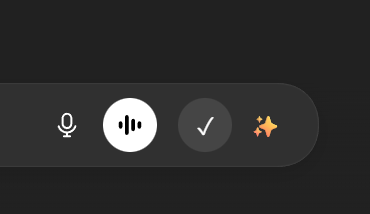
Native integration - Proofread and Optimize buttons appear directly in ChatGPT
Here's where it gets really exciting. We didn't just add these tools to the AI Workspace library - we've integrated them directly into ChatGPT's text input.
Seamless Workflow
While you're typing in ChatGPT, you'll see two new buttons right next to the existing controls:
- Proofread: Catch errors before hitting send
- Optimize: Enhance your prompt for better results
The buttons match ChatGPT's native styling with smooth hover states, making them feel like they've always been there.
Works With Chained Prompts Too
For power users building complex prompt chains in AI Workspace, both tools work on every single step of your chain. Optimize your entire workflow with one click.
⚡ Performance Improvements: Faster, Smoother, Better
While building these flashy new features, we also did serious work under the hood:
What We Optimized
-
Smart Polling: Subscription status checks now use intelligent intervals based on your account status
- Active subscriptions: 30 seconds
- Canceled/expired: 5-10 minutes
- Permanently canceled: Polling stops completely
- Batched Operations: All bulk operations now use smart batching with delays to prevent browser quota errors
- Improved Caching: Reduced cache TTL and added exponential backoff for better API response
- Backend Health Checks: Reduced from every 30 seconds to every 10 minutes (98% fewer calls!)
Real Impact
- 🔋 Less battery drain from reduced background activity
- ⚡ Faster bulk operations with optimized batching
- 💾 No more storage quota errors from improved write handling
- 🌐 Better API reliability with intelligent rate limiting
🎬 Getting Started
All these features are available now in AI Workspace. Here's how to start using them:
Bulk Actions
- Open your ChatGPT conversations in AI Workspace
- Click the checkbox next to any chat to enter selection mode
- Select multiple chats (or use "Select All")
- Choose an action from the bulk toolbar
AI Prompt Tools
- In AI Workspace Library: Open any prompt → Click "Proofread" or "Optimize"
- In ChatGPT: Look for the new buttons next to your text input → Click before sending
Chained Prompts
- Create or edit a prompt chain
- Use Proofread/Optimize on individual steps or the entire chain
💬 What Users Are Saying
"The bulk actions toolbar is a game-changer. I manage 200+ conversations and used to spend hours organizing them. Now it takes minutes."
— Sarah K., Product Manager
"AI optimization turned my vague prompts into structured, professional requests. My results improved dramatically."
— Marcus T., Content Creator
"Having Proofread right in ChatGPT has saved me from so many embarrassing typos. It's like having a second pair of eyes."
— Jennifer L., Writer
🚀 What's Next?
This is just the beginning. We're working on:
- 📊 Advanced Analytics: Track which prompts perform best
- 🔗 Cross-Platform Sync: Access your prompts across all AI platforms
- 🎨 Custom Optimization Profiles: Train the optimizer for your specific use cases
- 🤝 Team Collaboration: Share and co-edit prompt libraries
📥 Try It Now
Ready to supercharge your AI workflow?
- Existing users: Reload your extension to get the update
- New users: Install AI Workspace from Chrome Web Store
📢 Join Our Community
Stay up-to-date with new features and tips:
- 💬 Discord Community - Get help, share prompts, suggest features
- 🐦 Twitter/X - Latest updates and tips
- 📧 Newsletter - Weekly prompt engineering insights
Have questions or feedback? Drop a comment below or reach out to our support team at support@getaiworkspace.com
Happy prompting! ✨
About AI Workspace
AI Workspace is the #1 prompt management extension for ChatGPT, Claude, and Grok. Organize, optimize, and supercharge your AI workflows with powerful tools built for power users.
Ready to upgrade your workflow?
Join thousands of power users who trust AI Workspace to organize their prompts and conversations securely.
Install for Free